
Quick Answer
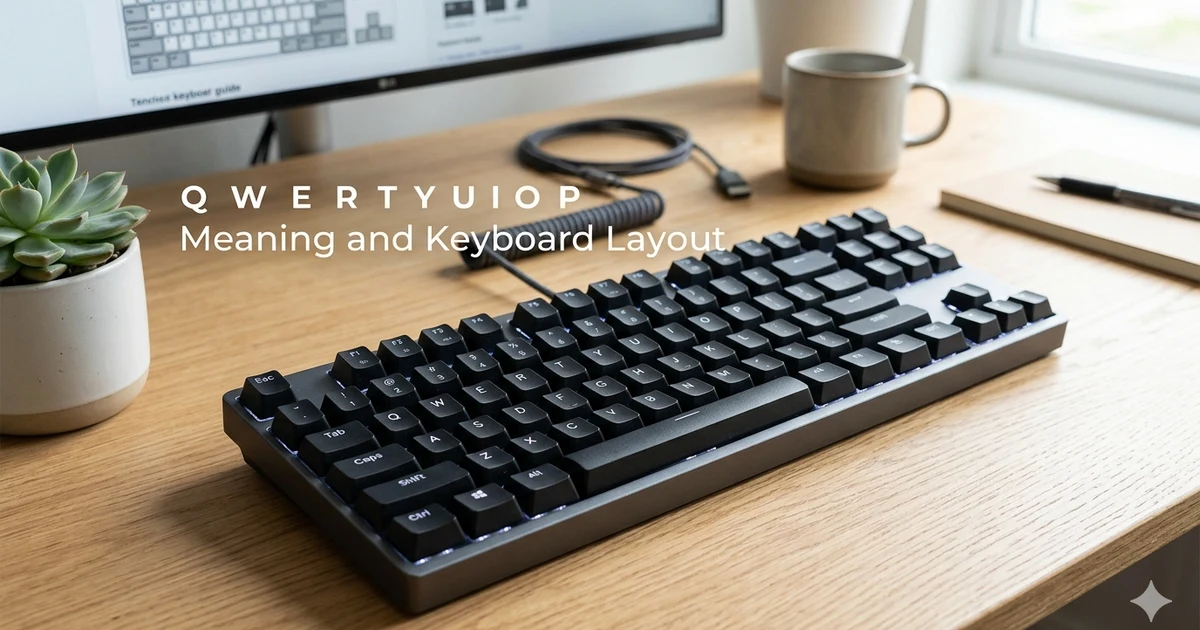
The phrase q w e r t y u i o p represents the first row of letter keys on a standard QWERTY keyboard. These letters appear in sequence across the top alphabetic row and are part of the world’s most widely used keyboard layout.
Most people encounter this sequence when learning typing, using computers, searching for keyboard layouts, or trying to understand why keyboards are arranged the way they are.
The QWERTY keyboard layout gets its name from the first six letters in this row: Q, W, E, R, T, and Y. Although alternative keyboard layouts exist, QWERTY remains the dominant standard for computers, laptops, and many mobile devices.
Introduction
If you have ever looked at a computer keyboard, you have probably noticed that the letters are not arranged alphabetically. Instead, the top row begins with q w e r t y u i o p, a sequence that has become so familiar that many people recognize it instantly.
People search for q w e r t y u i o p for several reasons. Some want to know why keyboards use this arrangement. Others are learning touch typing and need help understanding keyboard rows. Students may encounter the term QWERTY in technology classes, while some users simply wonder where the unusual letter sequence comes from.
Understanding the QWERTY layout provides useful insight into the history of typing and modern computing. In this guide, you will learn what q w e r t y u i o p means, why these letters appear in this order, how the layout developed, and how it is used today.
What Does Q W E R T Y U I O P Mean?
The sequence q w e r t y u i o p refers to the top row of alphabetic keys on a standard keyboard.
The first six letters form the word QWERTY, which is the name given to the most common keyboard layout in the world.
Rather than organizing letters alphabetically, the keyboard arranges them according to a layout developed during the early days of typewriters. This arrangement was designed to improve typing efficiency and reduce mechanical problems in older machines.
Today, QWERTY remains the default layout on most:
- Desktop computers
- Laptop keyboards
- External keyboards
- Mobile device keyboards
- Point of sale systems
- Many gaming devices
Although technology has changed dramatically since the typewriter era, the QWERTY arrangement continues to be widely used because people are familiar with it.
QWERTY Keyboard Layout at a Glance
| Keyboard Row | Letters |
|---|---|
| Top Row | Q W E R T Y U I O P |
| Home Row | A S D F G H J K L |
| Bottom Row | Z X C V B N M |
The home row is especially important for touch typing because it serves as the starting position for both hands.
Why Are the Letters Not in Alphabetical Order?
One of the most common questions about q w e r t y u i o p is why the letters are arranged this way instead of ABCDEF.
Early typewriters used mechanical arms that struck paper when keys were pressed. If typists entered certain letter combinations too quickly, the mechanical parts could interfere with each other.
To reduce these issues, designers developed a layout that separated commonly paired letters. Over time, the arrangement became standard across many typewriter manufacturers.
When computers replaced typewriters, people were already accustomed to the QWERTY layout. As a result, the same arrangement continued into the digital age.
History of the QWERTY Keyboard
Early Typewriter Development
The QWERTY layout emerged during the nineteenth century as typewriters became more common in offices and businesses.
Inventors experimented with different key arrangements before settling on the layout that eventually became the standard.
Growth in Business Use
As typing became an essential workplace skill, schools and businesses trained employees using QWERTY keyboards.
The widespread adoption of this system created a strong network effect. The more people learned QWERTY, the more valuable it became as a standard.
Transition to Computers
When personal computers arrived, manufacturers largely retained the familiar layout. This allowed users to transition from typewriters to computers without relearning keyboard positions.
Common Uses of Q W E R T Y U I O P
Learning Touch Typing
Typing courses often begin by teaching keyboard rows. Students memorize q w e r t y u i o p as part of learning finger placement and keyboard navigation.
Keyboard Identification
The sequence helps identify the keyboard layout being used. If the top row begins with QWERTY, it is generally considered a QWERTY keyboard.
Technology Education
Teachers frequently use q w e r t y u i o p when introducing students to computers, keyboards, and typing fundamentals.
Gaming and Productivity
Many keyboard shortcuts, gaming controls, and productivity workflows assume a QWERTY layout because it is the most common standard.
QWERTY vs Other Keyboard Layouts
Different keyboard layouts exist around the world. While QWERTY is the most common, some alternatives were designed for specific languages or typing goals.
| Layout | Primary Purpose | Common Regions |
| QWERTY | General typing | Most English speaking regions |
| AZERTY | French language typing | France and some French speaking areas |
| QWERTZ | Central European languages | Germany and nearby countries |
| Dvorak | Alternative efficiency layout | Limited specialized use |
Each layout places letters differently, which affects typing habits and keyboard shortcuts.
Examples of QWERTY in Everyday Life
Here are a few examples of how people encounter q w e r t y u i o p:
- A student learning keyboard skills memorizes the top row letters.
- A worker uses a laptop with a standard QWERTY layout.
- A gamer relies on keyboard controls designed around QWERTY key placement.
- A smartphone user types on a virtual keyboard modeled after the QWERTY design.
- A computer buyer checks whether a keyboard uses QWERTY or another layout.
Common Mistakes and Misunderstandings
Thinking It Is a Random Phrase
Some people assume q w e r t y u i o p is a random collection of letters. In reality, it represents a specific row of keys on a keyboard.
Assuming All Keyboards Use QWERTY
While QWERTY is common, not every keyboard follows this arrangement. Some countries and specialized users employ different layouts.
Believing QWERTY Is the Only Typing System
Alternative layouts such as Dvorak and AZERTY also exist and serve particular user groups.
Confusing Keyboard Rows
Beginners sometimes mix the top row with the home row. Remember that q w e r t y u i o p belongs to the top letter row, while a s d f g h j k l forms the home row.
Benefits of Learning Keyboard Rows
Understanding keyboard rows can improve typing skills in several ways:
- Faster typing speed
- Better finger placement
- Reduced need to look at the keyboard
- Improved accuracy
- Greater confidence when using computers
Even basic familiarity with q w e r t y u i o p can help beginners become more comfortable with typing.
Conclusion
The sequence q w e r t y u i o p is much more than a random string of letters. It represents the top row of a standard QWERTY keyboard and serves as the foundation of the world’s most widely used typing layout.
Understanding its meaning, history, and practical use can help students, professionals, and everyday computer users become more familiar with how modern keyboards work.
Whether you are learning touch typing or simply curious about keyboard design, knowing the significance of q w e r t y u i o p provides valuable insight into one of the most common tools used in daily life.
Frequently Asked Questions
What does q w e r t y u i o p stand for?
It refers to the top row of letters on a standard QWERTY keyboard.
Why is QWERTY called QWERTY?
The name comes from the first six letters on the top keyboard row: Q, W, E, R, T, and Y.
Is QWERTY the most common keyboard layout?
Yes. QWERTY is the dominant keyboard layout used on most computers and mobile devices.
Why are keyboards not arranged alphabetically?
The layout originated during the typewriter era and was designed to improve typing performance and reduce mechanical issues.
Are there alternatives to QWERTY?
Yes. Popular alternatives include AZERTY, QWERTZ, and Dvorak layouts.
Do smartphones use QWERTY keyboards?
Most smartphone keyboards are based on the QWERTY layout, although users can often switch to alternatives.
Is learning q w e r t y u i o p important for typing?
Yes. Understanding keyboard rows helps beginners improve typing speed and accuracy.